
Every line on a quotation gets a sell price from somewhere. Most of the time that is a straightforward markup on cost or a discount off the list price — which of those two you work in is the quote mode. Sitting above it is contract pricing: a price you have agreed with a particular customer, which wins regardless of the mode the quote is in.
This page covers both — the settings that control them, where each one shows up on screen, and the order Evolution works through when it decides what to charge.
The Two Quote Pricing Methods
A quotation is priced one of two ways. This is a property of the whole quote, not of an individual line, and it is stored on the quote itself.
| Method | Prices from | How it works |
|---|---|---|
| Cost Plus | The item’s cost | A margin is added on top of cost. The quote screen shows the cost columns and a margin you can move on a line, or across the whole quote at once. Used where you are pricing to a target margin rather than off a published list. |
| Discount | The item’s sell price (RRP) | A discount percentage is taken off the list price. Used where you publish a price book and negotiate down from it. |
The Settings
All of these live under Settings → Sales. They are company-wide — they apply to everyone in the company, not per user.
| Setting | What it does |
|---|---|
| Quote Modes |
Which pricing methods are available to your sales staff.
|
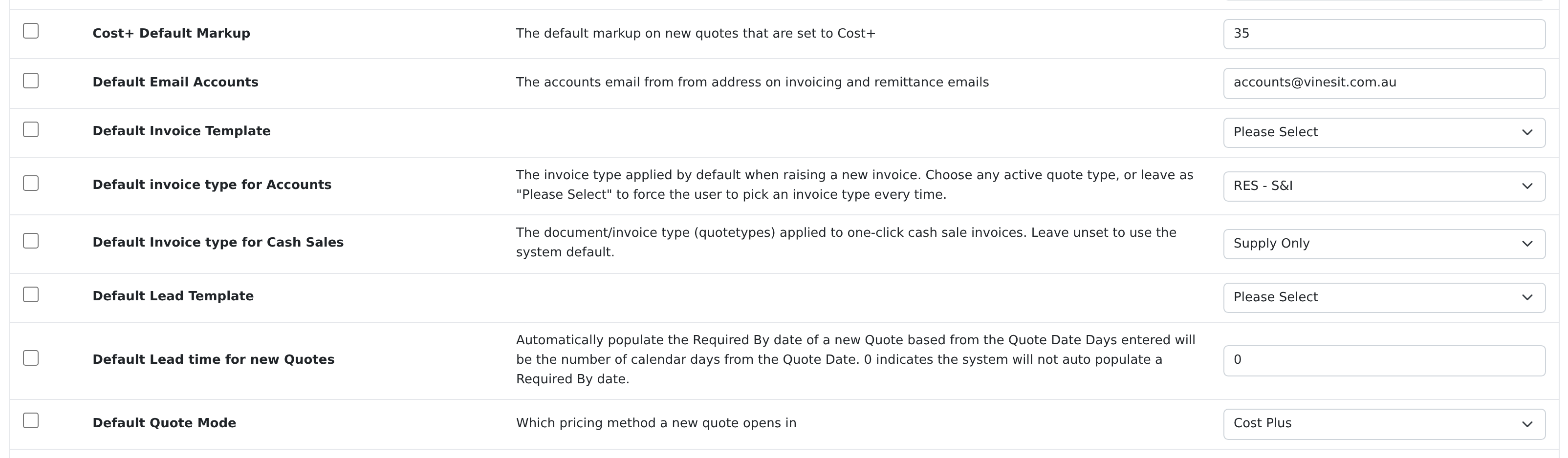
| Default Quote Mode | Which of the two a new quotation opens in. If this is set to Cost Plus, the Cost Plus toggle is already on when the quote is created and lines price on markup from the first item added. Changing it does not touch quotes that already exist. |
| Cost+ Default Markup | The margin percentage a new Cost Plus quote starts on — 35, for example. It is a starting point, not a limit: the margin can still be moved per line or across the quote. |
Setting the Mode on a Quote
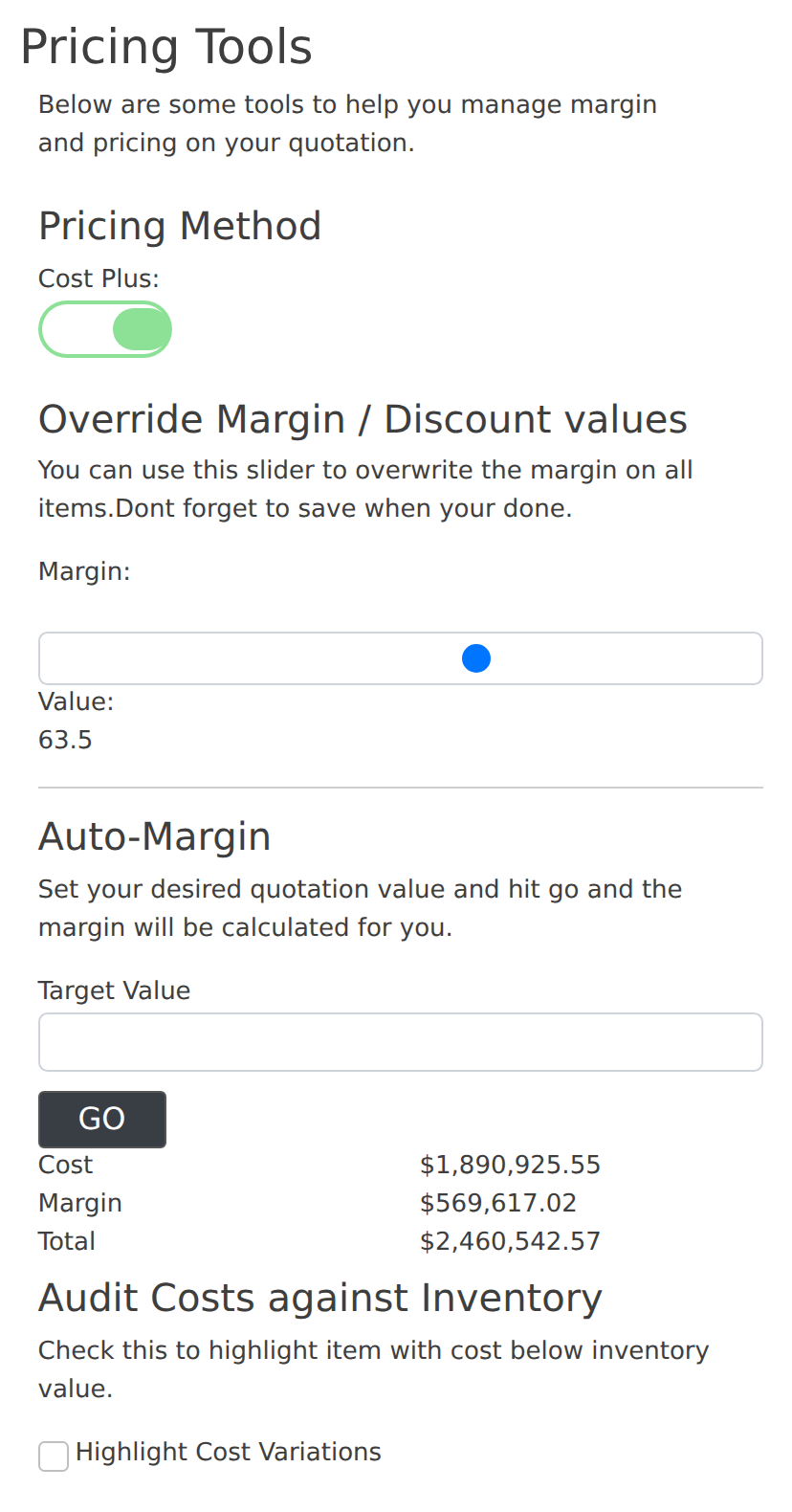
On the quotation screen the pricing tools panel carries the Cost Plus toggle. Turning it on shows the cost columns and prices every line from cost; turning it off returns the quote to discount-off-list.
Alongside it are two tools that work with whichever method is active:
- Override Margin / Discount — a slider that applies one margin (or one discount) across every line on the quote at once. Remember to save.
- Auto-Margin — enter the quotation total you want to land on, press Go, and the margin needed to reach it is calculated for you.
Contract Pricing Overrides the Quote Mode
A contract price is a price agreed with a specific customer for a specific item. When one exists, it is used — the quote’s own pricing method, the customer’s category discounts and their general discount are all skipped.
There are three contract types:
| Contract Type | You enter | Price the customer gets |
|---|---|---|
| Markup | A percentage | The item’s cost plus that percentage. Moves automatically as the cost moves. |
| Discount | A percentage | The item’s sell price less that percentage. Moves automatically as the list price moves. |
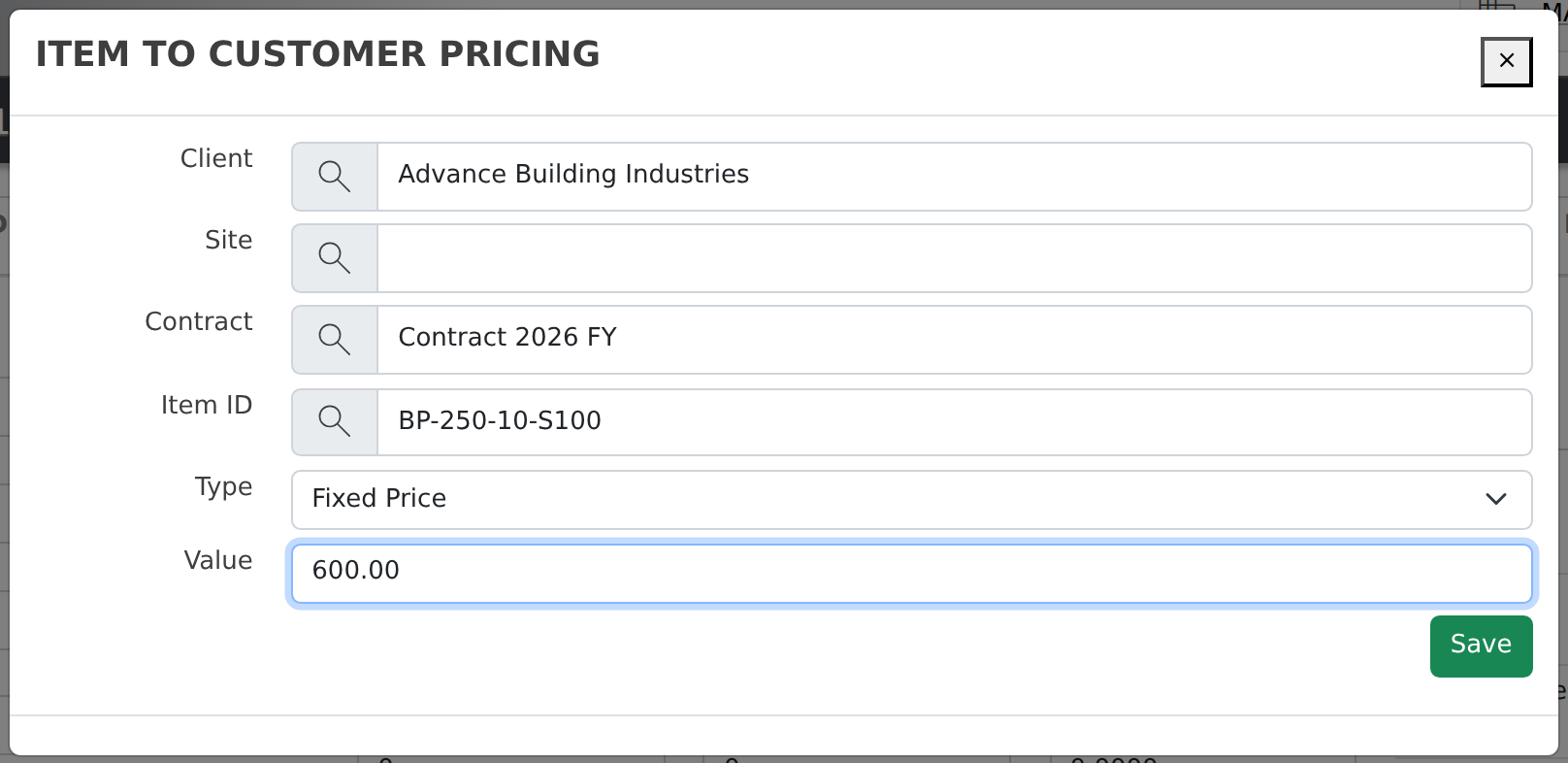
| Fixed Price | A dollar amount | Exactly that amount, with no on-cost applied. It does not move when your cost or list price changes. |
Where contract prices are set up
- From the item — open the inventory item and use Item to Customer Pricing → Add. Best when you are agreeing a price on one item for one customer.
- From the contract — Contract Pricing in the menu, or the Contract Pricing tab on the customer. Best when you are loading or maintaining a whole price list for a customer.
Which Price Wins
When an item is added to a quote, Evolution works down this list and stops at the first one that applies:
- Contract price for this customer (and site) on this item — Markup, Discount or Fixed Price, as set up above.
- Category discount or markup held against the customer for the item’s category. The item’s own minimum markup and maximum discount are applied as limits here.
- The customer’s general discount from their account.
- RRP — the item’s sell price, unchanged.
Two further settings change how step 1 behaves for customers with site-specific contracts:
| Setting | What it does |
|---|---|
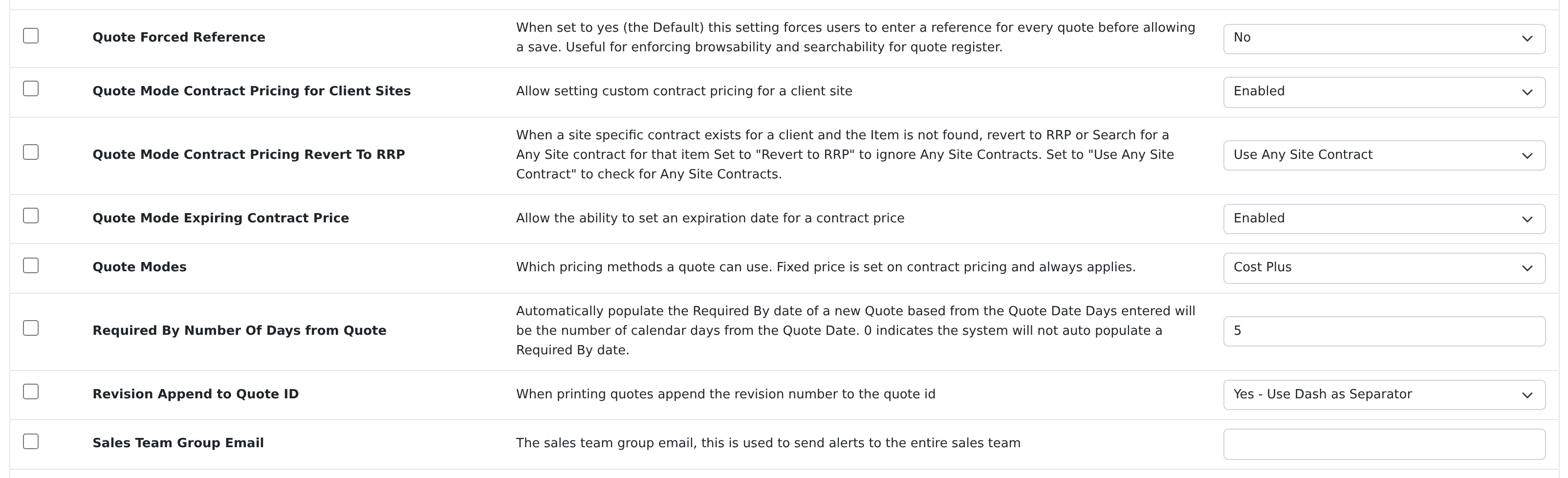
| Quote Mode Contract Pricing for Customer Sites | Allows contract prices to be set against an individual site of a customer, not just the customer as a whole. |
| Quote Mode Contract Pricing Revert To RRP | Decides what happens when a customer has a site-specific contract but the item is not on it. Use Any Site Contract falls back to the customer’s “Any Site” contract; Revert To RRP ignores it and uses the list price. |
| Contract Pricing Many To One | Allows one contract to be attached to several customers, so an agreed price list is maintained once. |
| Quote Mode Expiring Contract Price | Allows an expiry date on a contract price, after which it stops being applied. |
Common Questions
A new quote does not open in Cost Plus, even though that is the default.
Check Settings → Sales → Default Quote Mode. Note this applies when the quote is created — quotes raised before the setting was changed keep the method saved on them.
The Type list is empty when I try to add customer pricing.
This was caused by an out-of-date Quote Modes value and has been corrected — the list now always offers at least Fixed Price. If you still see it empty, contact support.
I set a contract price but the quote is not using it.
Check that the contract is against the right customer and site, that it has not expired, and that the item on the quote is the item on the contract. If the customer has a site contract that does not list the item, the Revert To RRP setting decides whether the “Any Site” contract is consulted.
Can one quote have some lines cost plus and some discounted?
Not as a mode — the method belongs to the whole quote. But any individual line can be overtyped with the price you want, and contract prices apply per item regardless of the mode.
Related Pages
- Inventory Pricing — landed cost, minimum markup, maximum discount and how RRP is calculated.
- Inventory Items — where cost and sell price are maintained.
- Credit Limits & Stop Credit — the other customer-level control on a sale.
- Creating Projects from Quotes — what happens to quoted prices downstream.