
An opportunity's value drives the pipeline totals on the Opportunities screen, the Opportunity Pipeline board and the sales forecast. It is calculated from the quotes linked to the opportunity, so it is only as useful as the rule behind it. This page explains that rule, and the tool for clearing out opportunities that are no longer being worked.
How the Value Is Worked Out
Every time a linked quote is saved, deleted, archived or moved, Evolution recalculates the value:
- Archived and deleted quotes are ignored.
- Where a quote has been revised, only the latest revision counts.
- The remaining quotes are added up per customer.
- The opportunity is worth the largest of those customer totals.
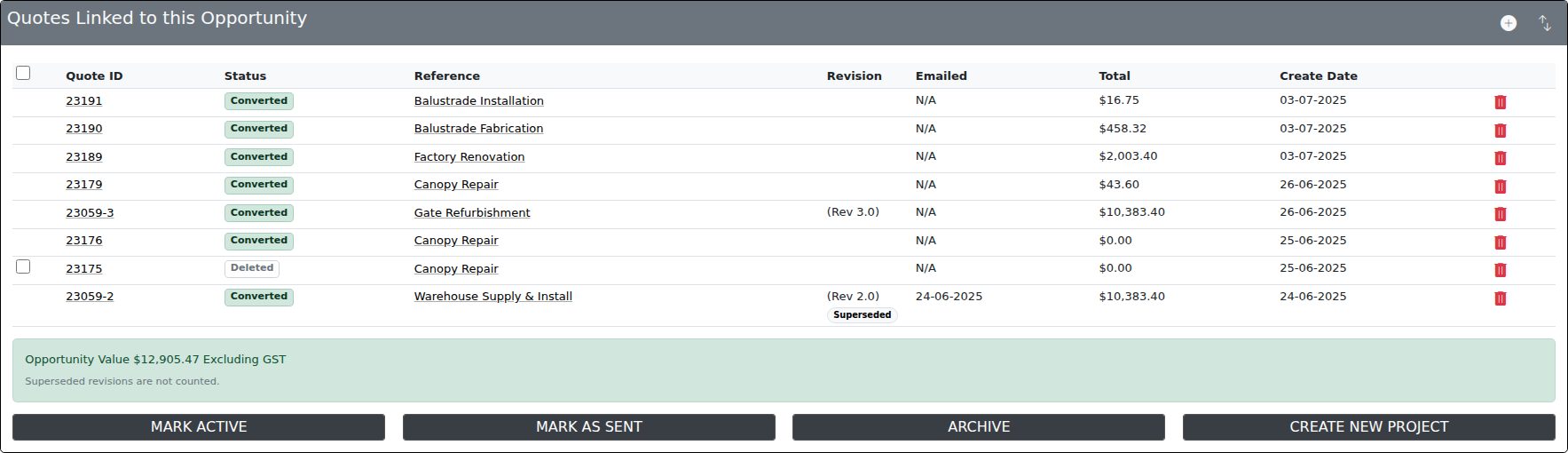
The Quotes Linked to this Opportunity panel on the opportunity shows the result as Opportunity Value, and marks any quote that is not counted.
Quote Revisions
Creating a revision copies the quote and leaves the earlier one in place, so you can still open and print it. Before this change, every revision was added to the opportunity's value, so a quote revised three times was counted four times. Earlier revisions now carry a Superseded label in the quote list and add nothing to the value.
Quoting Several Customers
When the same job goes out to several customers — for example, a fencing package quoted to each builder tendering for a project — only one of them can win it. The opportunity is therefore valued at the largest customer's total rather than the sum of every customer's quotes. The panel notes this whenever more than one customer is quoted.
Opportunities Without Quotes
An opportunity with no live quote keeps the value it already has, such as a deal amount brought in from HubSpot. Its value only drops to zero when you archive, delete or move away the last quote that was setting it.
Stale Clean-up
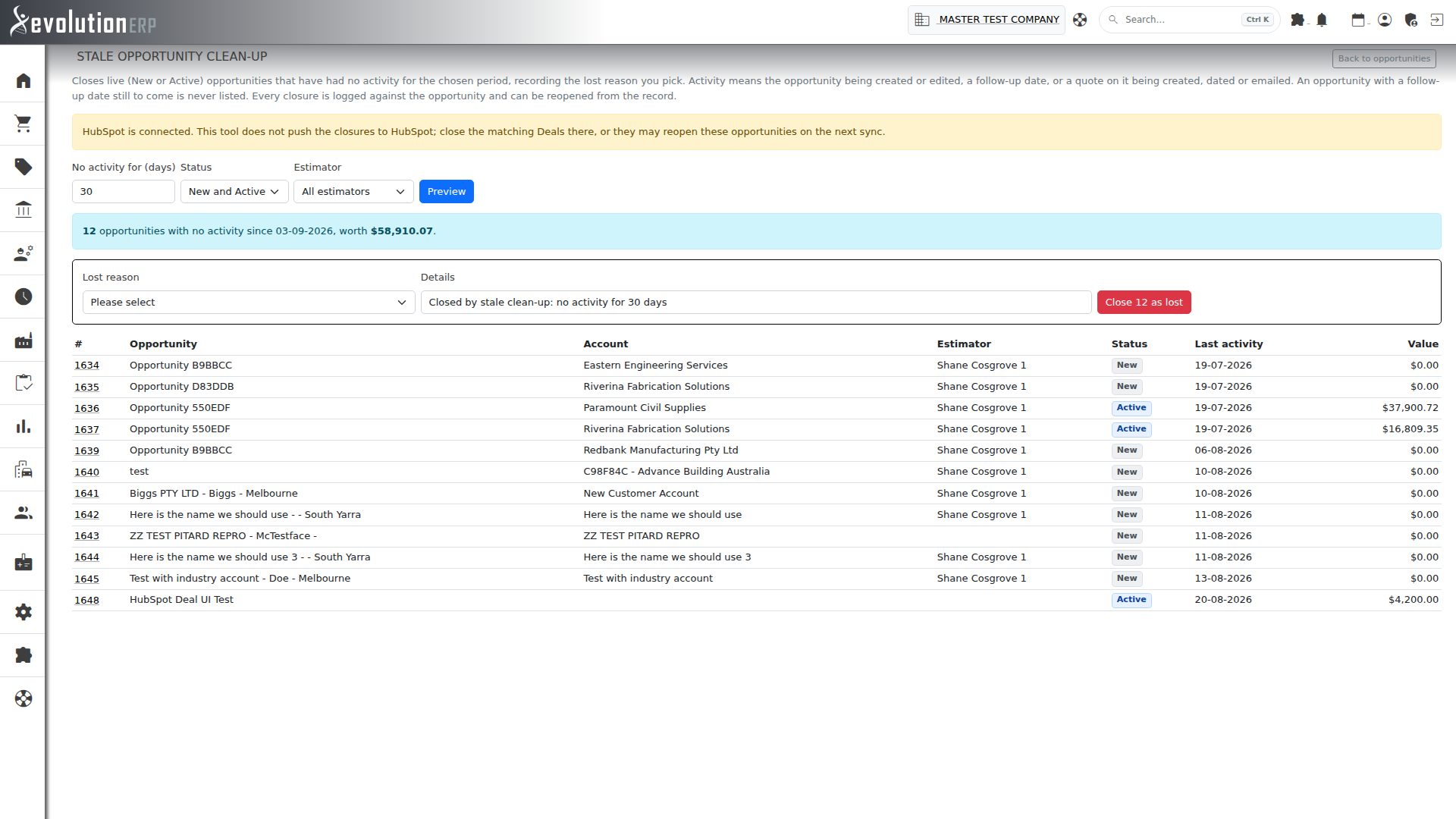
Over time a pipeline collects opportunities that were never formally closed. They inflate the totals and bury the live work. Stale clean-up closes them in bulk as lost, with a reason, after showing you exactly which ones it will close.
Open it from Sales → Opportunities using the Stale clean-up button. It is available to administrators and to users with Sales admin access.
- Set No activity for (days). The minimum is 30 and the default is a year.
- Optionally narrow the list to New or Active opportunities, or to one estimator.
- Press Preview. The page lists every matching opportunity, oldest activity first, with the number found and their combined value.
- Choose a Lost reason, adjust the details if you like, and press Close … as lost.
| What counts as activity | Notes |
|---|---|
| Creating or editing the opportunity | Any saved change to the opportunity itself. |
| A follow-up date | An opportunity with a follow-up date still to come is never listed. |
| Its quotes | A linked quote being created, dated or emailed. |
- Each run closes up to 1,000 opportunities, oldest first. If more match, preview again to continue.
- If anything changes between your preview and pressing the button (someone edits or closes one of the listed opportunities), nothing is closed and you are asked to preview again.
- Every closure is recorded in the opportunity's History tab with the reason and its last activity date. To reopen one, open it and set its status back to Active.