
When you supply goods to an account customer over the counter, the person who walks in and collects them is often not the person who ordered them — and neither name normally reaches the invoice. This feature records both, and can print them on each invoice line:
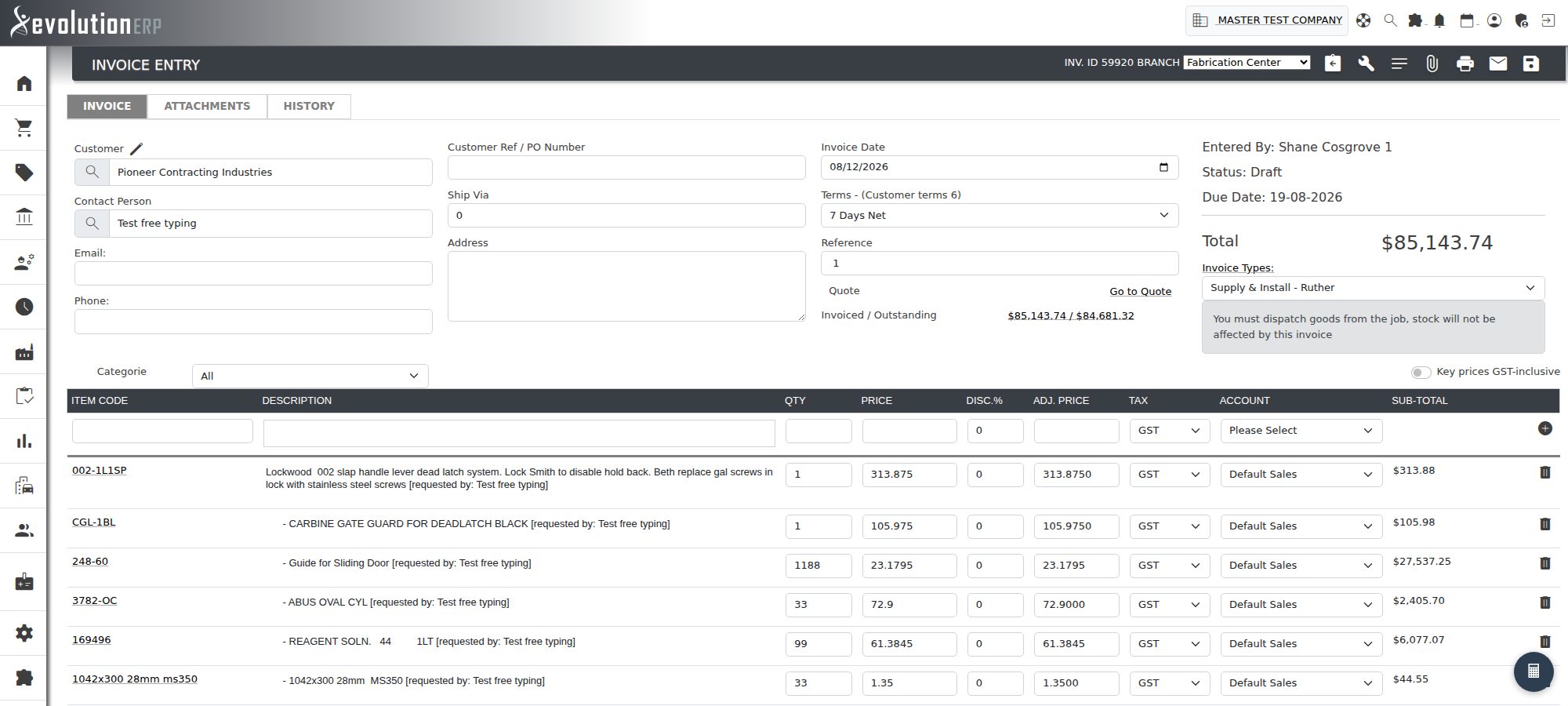
Nitrile Gloves, Large (Box 100) [requested by: Jane Smith] [collected by: Bob Jones]
It is designed for the month-end pattern where goods go out on a project across many small collections and are billed on one invoice at the end of the month. Each line can then be traced back to the person who asked for it and the person who took it away.
One-Time Setup (Administrator)
The feature is off until an administrator turns it on. The setting lives under Settings → Sales.
- Set “Tag contact names on project items and invoices” to Yes.
- Click Save.
Turning it on adds three things:
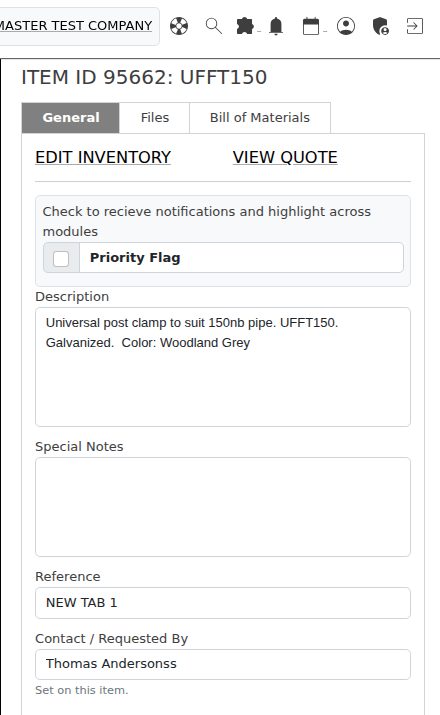
- a Contact / Requested By box on the project inventory item window;
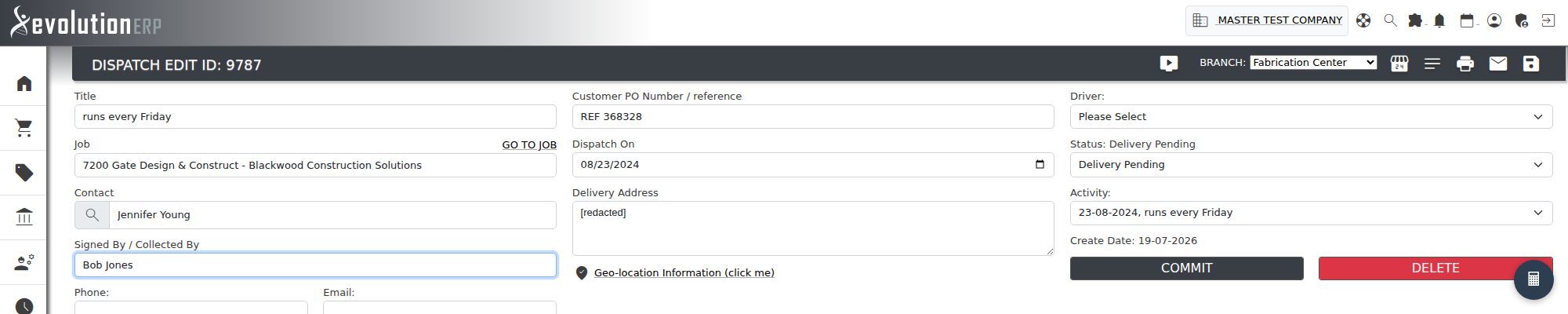
- a Signed By / Collected By box on the dispatch add and edit screens;
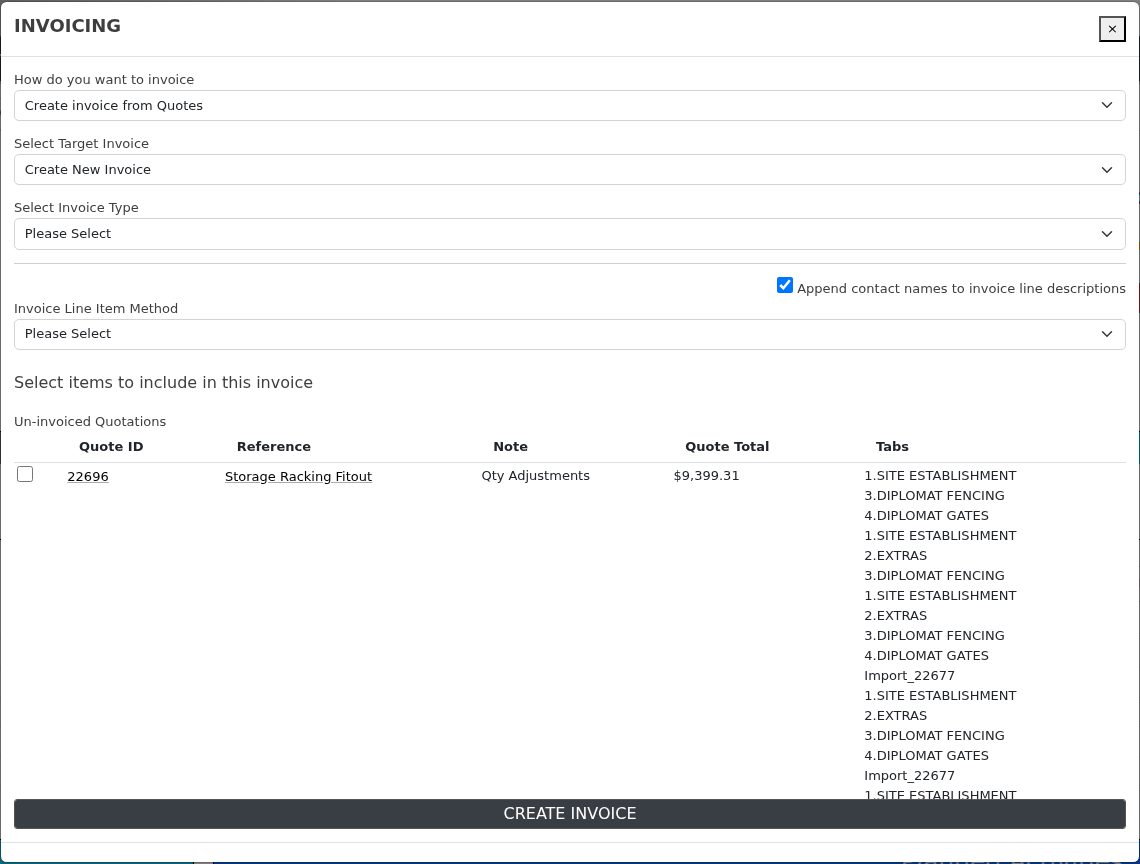
- a tick box in the Create Invoice window that appends both names to each invoice line.
Who Requested It
The requester is taken from the contact on the quote the item came from. If you sell over the counter through Quick Supply, that is the contact you chose when the quote was raised — so in most cases there is nothing to type in at all, including on projects that already exist.
To use a different name on a particular line, open the item from the project’s Inventory tab and type it into Contact / Requested By. A name typed here always wins over the quote’s contact, and the note under the box tells you which of the two you are currently looking at.
Who Collected It
The collector is the Signed By / Collected By name on the dispatch. Fill it in on the dispatch add screen as the goods go out, or later on the dispatch edit screen.
- Only committed dispatches count — a draft has not delivered anything yet.
-
If an item went out on several dispatches to different people, all of
their names are listed:
[collected by: Bob Jones, Alan Reid].
Putting the Names on the Invoice
Invoice the project as you normally would (Project → Create Invoice). When the setting is on, a tick box appears:
“Append contact names to invoice line descriptions” — ticked by default.
Leave it ticked and each line comes across with the names appended; untick it to bill this one invoice without them. The tick box only appears for the two methods that build a line per item:
- Create invoice from Quotes
- Create itemized invoice
The text-based deposit, progress and final invoices are a single typed line with no item behind them, so there is nothing to attach a name to and the tick box stays hidden.
The INVOICE button on a committed dispatch tags its lines too. There it uses that delivery’s own signed-by name, because that invoice covers that one delivery.
How the Line Reads
| Situation | What is added to the line |
|---|---|
| Requester known, nobody has signed yet | [requested by: Jane Smith] |
| Requester and a different collector | [requested by: Jane Smith] [collected by: Bob Jones] |
| The same person ordered and collected | [requested by: Jane Smith] — the name is not repeated |
| No requester, but someone signed | [collected by: Bob Jones] |
| Neither name is known | nothing — the description is unchanged |
The names are written into the invoice line description, so they can be edited on the draft invoice like any other description and they print on the invoice exactly as shown.
Frequently Asked Questions
Do I have to go back and fill in names on existing projects?
No. The requester is read from the quote each time an invoice is raised, so as soon as the setting is on, existing project lines that came from a quote already carry their contact.
Nothing was added to my line — why?
Either the quote had no contact and no name was typed on the item, or no committed dispatch carries a signed-by name for it. Check the item’s Contact / Requested By box and the dispatch’s Signed By / Collected By box.
Can I leave the names off one invoice?
Yes — untick the box in the Create Invoice window. That affects only the invoice you are raising; the setting and the recorded names are untouched.
Can I change a name after the invoice is raised?
The names are part of the line description, so edit the line on the invoice while it is still a draft. Changing the name on the project item or the dispatch afterwards does not rewrite invoices that have already been created.