
Evolution keeps its own record of what has shipped, right inside the app — no need to leave and go looking on the documentation site. It is fed from the same list our support team maintains, updated the moment a note is approved.
Finding It
Open Support from the main menu, then click the Release Notes card.
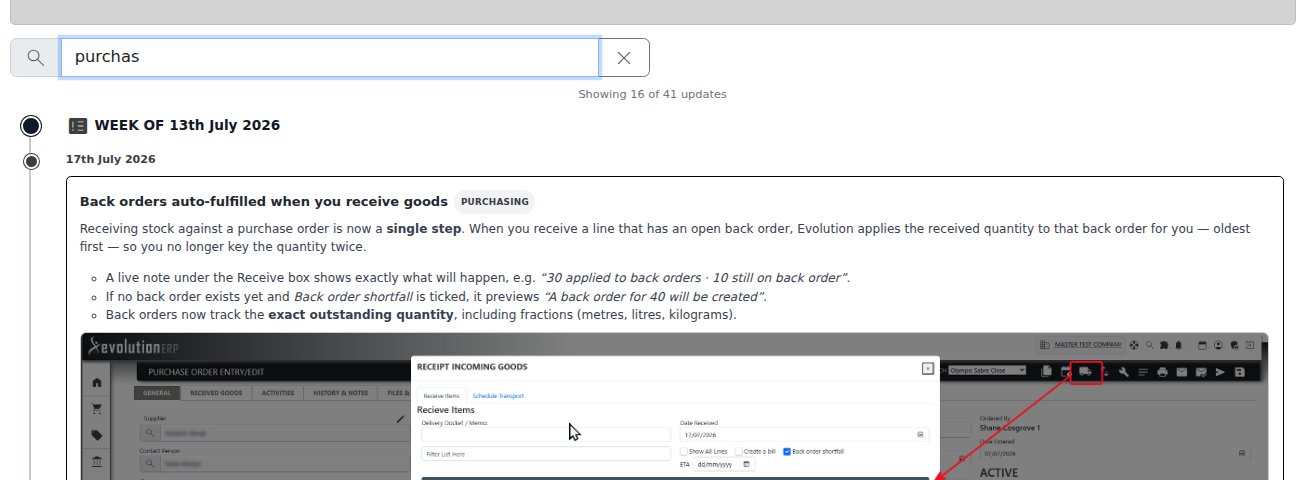
Filter as You Type
A search box sits above the list. Type any word and the page narrows to notes that mention it — in the title, the module tag, or the body copy — so searching “Shopify” finds every Shopify-related update even if it only comes up partway through the description. There is no page reload: filtering happens instantly as you type, and a count under the search box tells you how many of the year’s notes currently match.
Clear the box (or click the × button) to see everything again. A week with nothing matching your search disappears from the timeline entirely, so you are never left scanning past empty headings.
Reading the Timeline
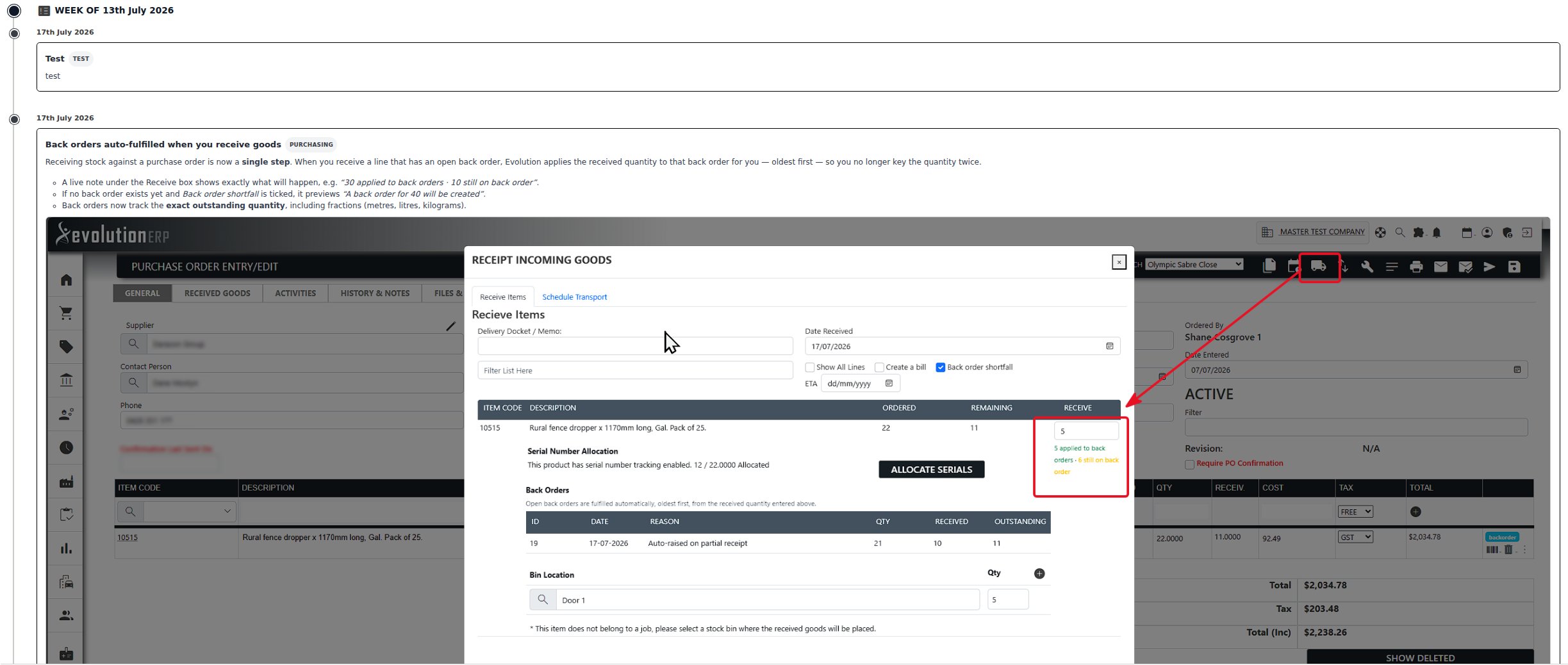
Notes are grouped by the week they were published, newest first, on a vertical timeline — the same layout used for Product Updates on the documentation site. Each entry shows its module and, where the change has a written guide, a View documentation button that takes you straight to it.
Use the year selector at the top right of the page to look back at earlier years — the search box filters whichever year is currently loaded.
How This Differs From Product Updates
This screen and the Product Updates page on the documentation site draw from the same underlying list of release notes, but they are not quite the same thing:
- Release Notes (this page) reads the live list every time you open it, grouped by week, and only shows notes for the company you are logged into.
- Product Updates is part of the public documentation site, so it is readable without logging in, and is refreshed periodically rather than live — handy for sharing a link to a specific update with someone who does not have an Evolution login.