
Sometimes a customer asks for the company an invoice bills to to be changed after the work has been invoiced — for example a joint venture, or a project-specific billing entity. Evolution now lets you re-bill an invoice to a different customer while keeping it linked to its project, so your job costing and project reports stay accurate.
The key idea: an invoice has two independent things — the customer it bills to, and the project (project) it belongs to. These no longer have to be the same. Changing one does not silently break the other.
What Changed
Previously, changing the customer on an invoice quietly reset its Project to Not Applicable, so the invoice disappeared from the project’s totals and project reports — with no warning. That no longer happens.
- Changing the customer on an invoice now keeps the project link. The project stays selected even when it belongs to a different customer.
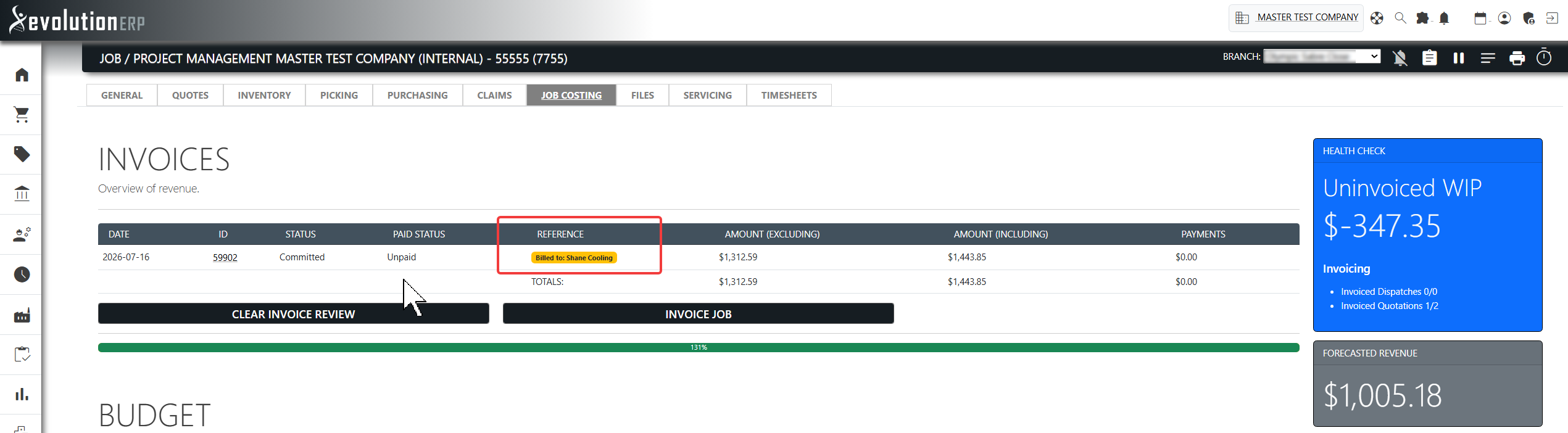
- When an invoice bills to a customer different from the project owner, a clear notice is shown on the invoice, and a Billed to… badge appears against that invoice on the project’s Invoices tab.
- Changing the customer on a project that already has invoices is now allowed, but you are warned first — the existing invoices keep billing to the previous customer (they are not re-billed automatically, and Xero is not touched).
Re-billing an Invoice to a Different Customer
- Open the invoice from Sales → Invoice Register, or from the project’s Invoices tab.
- The invoice must be in draft (not committed). If it is committed, the customer is locked — see Committed & Xero invoices below.
- Change the Customer to the new billing entity.
- The Project stays linked to the original project. If that project belongs to a different customer, a notice appears explaining the invoice bills to a different customer than the project owner — this is expected.
- Save the invoice.
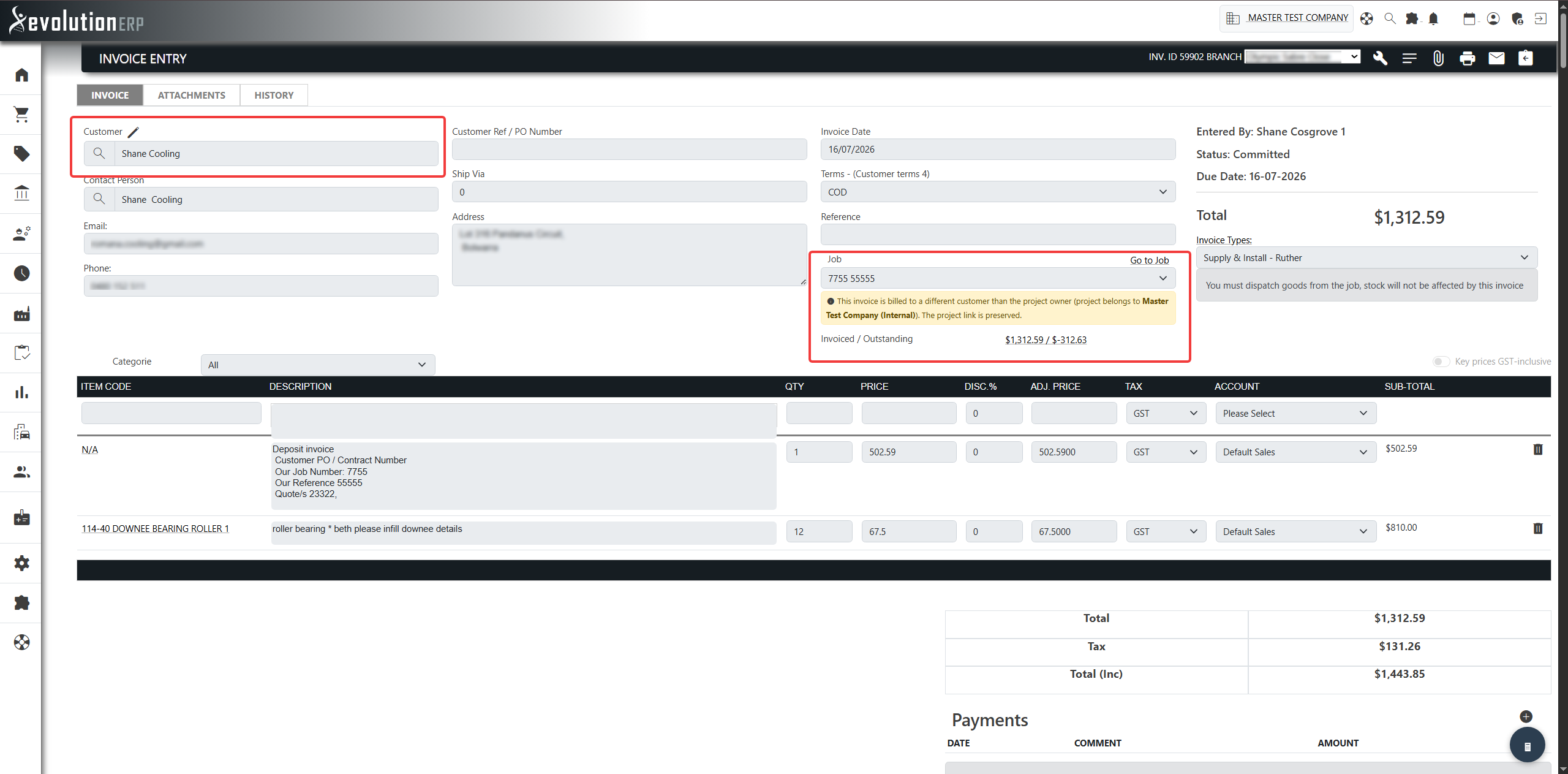
Seeing the Difference on a Project
Open the project and go to the Invoices tab. Any invoice that bills to a customer other than the project’s own customer is marked with a Billed to: … badge, so it is obvious at a glance which invoices have been re-billed.
Changing the Customer on a Project
If you change the customer on a project that already has invoices, Evolution now asks you to confirm rather than blocking you outright. Important points:
- The existing invoices are not re-billed — they keep billing to the previous customer.
- Invoices already sent to Xero are not changed.
- To re-bill a specific invoice, open that invoice and change its customer there (see above).
The change is recorded in the project’s history, including how many invoices now bill to the previous customer.
Committed & Xero Invoices
Once an invoice is committed, its customer and project are locked and cannot be changed. This protects invoices that have already been issued or sent to Xero.
If a committed invoice genuinely needs re-billing, an administrator can un-commit it, change the customer, and re-commit. Note that re-committing will re-sync the invoice to Xero under the new customer, so only do this when that is what you intend.
Frequently Asked Questions
Will re-billing an invoice remove it from the project?
No. The project link is preserved. The invoice still counts towards the project’s costing and reporting.
The invoice shows a “different customer than the project owner” notice — is something wrong?
No. That notice is informational. It simply confirms the invoice bills to one company while the project belongs to another — which is exactly what re-billing does.
Can I change the customer on a committed invoice?
Not directly — committed invoices are locked. An administrator must un-commit it first, which will re-sync to Xero on re-commit.
If I change a project’s customer, do its invoices follow?
No. Existing invoices keep billing to the previous customer (and stay unchanged in Xero). Re-bill each invoice individually if that is what you need.